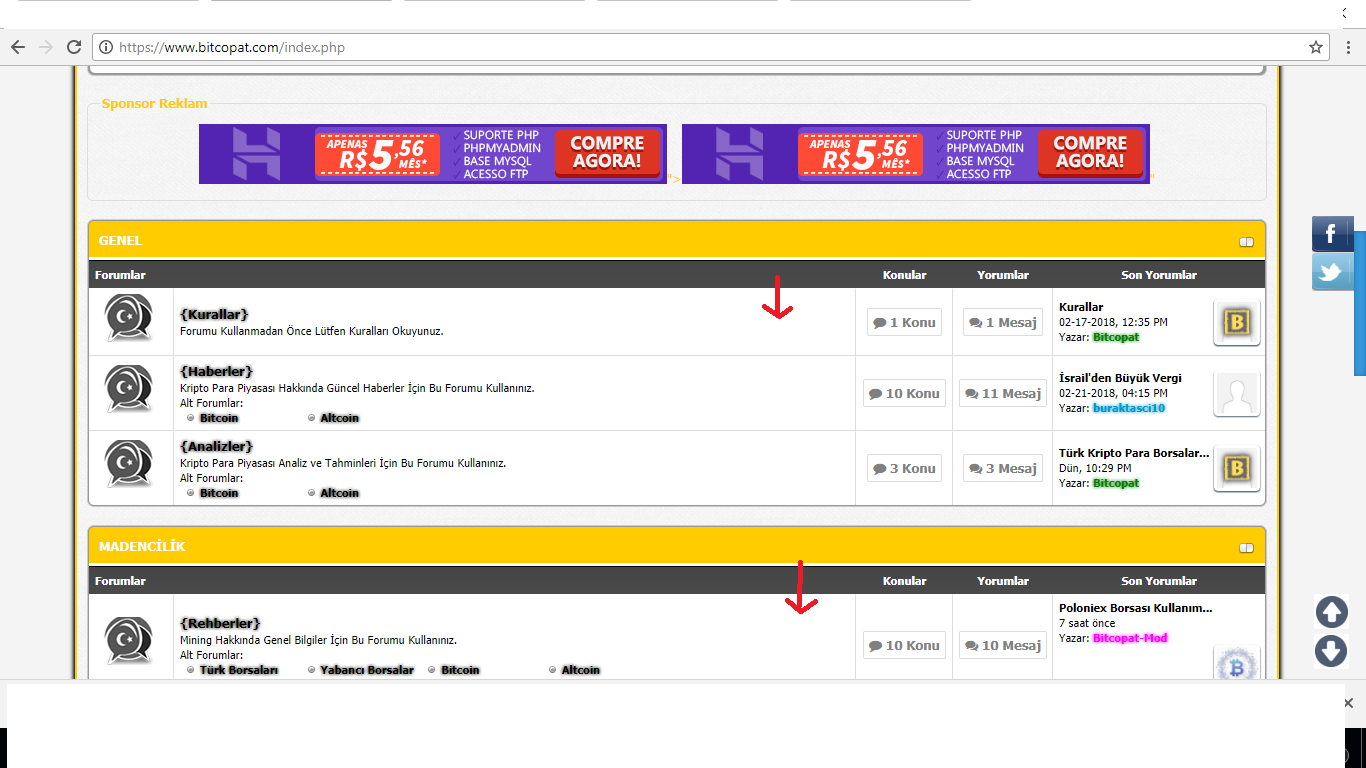
forumbit_depth2_forum şablonunda
Kod:
<td class="{$bgcolor}" valign="top" align="center" style="white-space: nowrap">
Bu kodun hemen altına şunu ekler misiniz?
Kod:
<style>#forumtwitter { background-image:url(http://www.anthonysgulfport.com/wp-content/uploads/2014/09/twitter-icon-300x300.png); width:40px; height:40px; background-size:cover; opacity:0.5; transition-duration:0.2s;} #forumtwitter:hover {opacity:1;}</style> <a href='http://www.twitter.com' title='Twitter'><div id='forumtwitter'></div></a>
(24-02-2018, Saat:21:56)hulk94 Adlı Kullanıcıdan Alıntı: [ -> ]forumbit_depth2_forum şablonunda
Kod:
<td class="{$bgcolor}" valign="top" align="center" style="white-space: nowrap">
Bu kodun hemen altına şunu ekler misiniz?
Kod:
<style>#forumtwitter { background-image:url(http://www.anthonysgulfport.com/wp-content/uploads/2014/09/twitter-icon-300x300.png); width:40px; height:40px; background-size:cover; opacity:0.5; transition-duration:0.2s;} #forumtwitter:hover {opacity:1;}</style> <a href='http://www.twitter.com' title='Twitter'><div id='forumtwitter'></div></a>
Forum depith2 forumda bunlar var
<tr>

<td class="trow1" align="center" width="1"><span class="forum_status forum_{$lightbulb['folder']} ajax_mark_read" title="{$lightbulb['altonoff']}" id="mark_read_{$forum['fid']}"></span></td>

<td class="trow1">

<strong><a href="{$forum_url}">{$forum['name']}</a></strong>{$forum_viewers_text}<div class="smalltext">{$forum['description']}{$modlist}{$subforums}</div>

</td>

<td class="trow1" valign="center" align="center" style="white-space: nowrap" width="85"><span style="background: #fff;
padding: 5px;
border: 1px solid gainsboro;
border-radius: 2px; color: gray; font-weight: bold;"><i class="fa fa-comment"></i> {$threads}{$unapproved['unapproved_threads']} Konu</span></td>
<td class="trow1" valign="center" align="center" style="white-space: nowrap" width="85"><span style="background: #fff;
padding: 5px;
border: 1px solid gainsboro;
border-radius: 2px; color: gray; font-weight: bold;"><i class="fa fa-comments"></i> {$posts}{$unapproved['unapproved_posts']} Mesaj</span></td>
<td class="trow1" valign="center" align="left" style="white-space: nowrap" width="200">{$lastpost}</td>
</tr>
(25-02-2018, Saat:23:25)bitcopat Adlı Kullanıcıdan Alıntı: [ -> ] (24-02-2018, Saat:21:56)hulk94 Adlı Kullanıcıdan Alıntı: [ -> ]forumbit_depth2_forum şablonunda
Kod:
<td class="{$bgcolor}" valign="top" align="center" style="white-space: nowrap">
Bu kodun hemen altına şunu ekler misiniz?
Kod:
<style>#forumtwitter { background-image:url(http://www.anthonysgulfport.com/wp-content/uploads/2014/09/twitter-icon-300x300.png); width:40px; height:40px; background-size:cover; opacity:0.5; transition-duration:0.2s;} #forumtwitter:hover {opacity:1;}</style> <a href='http://www.twitter.com' title='Twitter'><div id='forumtwitter'></div></a>
Forum depith2 forumda bunlar var
<tr>
<td class="trow1" align="center" width="1"><span class="forum_status forum_{$lightbulb['folder']} ajax_mark_read" title="{$lightbulb['altonoff']}" id="mark_read_{$forum['fid']}"></span></td>
<td class="trow1">
<strong><a href="{$forum_url}">{$forum['name']}</a></strong>{$forum_viewers_text}<div class="smalltext">{$forum['description']}{$modlist}{$subforums}</div>
</td>
<td class="trow1" valign="center" align="center" style="white-space: nowrap" width="85"><span style="background: #fff;
padding: 5px;
border: 1px solid gainsboro;
border-radius: 2px; color: gray; font-weight: bold;"><i class="fa fa-comment"></i> {$threads}{$unapproved['unapproved_threads']} Konu</span></td>
<td class="trow1" valign="center" align="center" style="white-space: nowrap" width="85"><span style="background: #fff;
padding: 5px;
border: 1px solid gainsboro;
border-radius: 2px; color: gray; font-weight: bold;"><i class="fa fa-comments"></i> {$posts}{$unapproved['unapproved_posts']} Mesaj</span></td>
<td class="trow1" valign="center" align="left" style="white-space: nowrap" width="200">{$lastpost}</td>
</tr>
Kod:
<tr>
<td class="trow1" align="center" width="1"><span class="forum_status forum_{$lightbulb['folder']} ajax_mark_read" title="{$lightbulb['altonoff']}" id="mark_read_{$forum['fid']}"></span></td>
<td class="trow1">
<strong><a href="{$forum_url}">{$forum['name']}</a></strong>{$forum_viewers_text}<div class="smalltext">{$forum['description']}{$modlist}{$subforums}</div>
</td>
<td class="trow1" valign="center" align="center" style="white-space: nowrap" width="85">
buranın hemen sonrasına ekleyip dener misiniz?
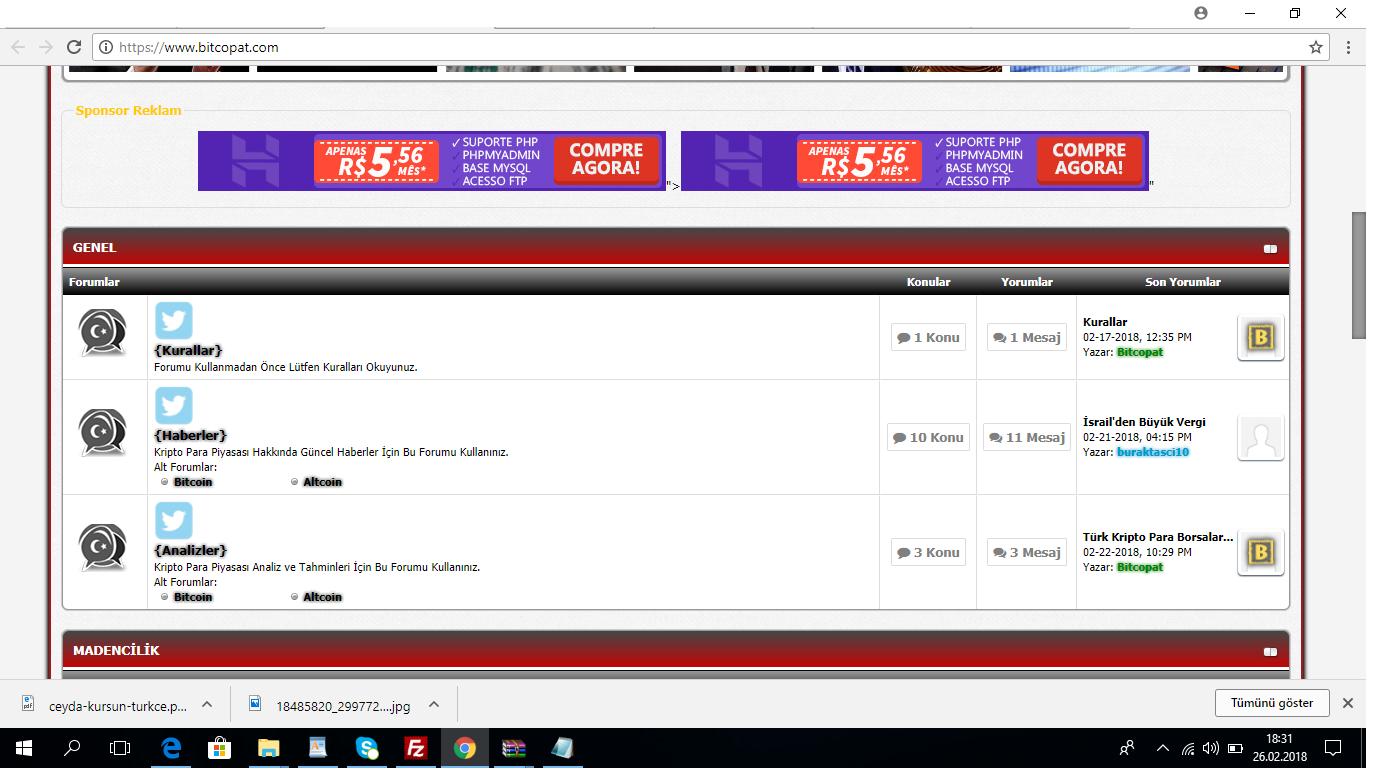
Olmadı saçma sapan yerlerde çıktı
(26-02-2018, Saat:18:24)bitcopat Adlı Kullanıcıdan Alıntı: [ -> ]Olmadı saçma sapan yerlerde çıktı
Yine aynı yere kodu şu şekilde düzenleyerek ekler misin :$ Kusura bakmayın farklı temalarda deneyince böyle sorunlar olabiliyor.
Kod:
<style>#forumtwitter { background-image:url(http://www.anthonysgulfport.com/wp-content/uploads/2014/09/twitter-icon-300x300.png); width:40px; height:40px; background-size:cover; opacity:0.5; transition-duration:0.2s; float:right;} #forumtwitter:hover {opacity:1;}</style> <a href='http://www.twitter.com' title='Twitter'><div id='forumtwitter'></div></a>